



Thorfortune Login
Thorfortune login opens the player area, where users can get back to their balance and continue managing their casino profile. Returning members can sign in with their email and password, while new users can click “Sign up” and create an account before making the first deposit. The site is available to customers aged 18+, so age confirmation is part of the account setup.
Thorfortune protects account access with web application firewalls and TLS encryption. Players can also activate 2FA to add another step before someone enters the profile. When a withdrawal request needs verification, Thor Fortune Casino may ask for KYC documents, such as ID or payment proof, before approving the payout.

Thorfortune Registration
New visitors need to create an account before they can deposit and play for real money. Registration asks users to enter the details needed for a personal casino profile. After the account is ready, players can open the game lobby and try our bonus offers.
After registration, new users can use the welcome package of up to €2,500 and 250 Free Spins. If you already have an account, you need to use the Thorfortune login page. The casino allows only one account per person, household, IP address, and device, so duplicate registration is not permitted.
Create Your Account
Creating a Thorfortune Casino account starts with a short registration form. Use real and accurate details in the form, because this data stays linked to your Thorfortune login, identity checks, and future withdrawal requests.
- Start from the right button: Use “Sign up” on the website when you are ready to create your first casino profile.
- Set your access details: Enter your email and create a password for the account. You will use these details later to sign in and return to the same profile.
- Accept the user’s rules: Before the form continues, confirm that you are 18 or older and agree to the site terms. Thorfortune requires this step before real-money play.
- Enter real personal data: Fill in the requested personal details exactly as they appear in your documents. We compare this information during KYC checks or before a withdrawal.
- Open your player area: Once the account is created, sign in and enter your profile. From there, you can reach the game lobby and personalize your account.
After these steps, your account is ready for payments and real-money play.
Log In to Thorfortune Casino and Open Your Account
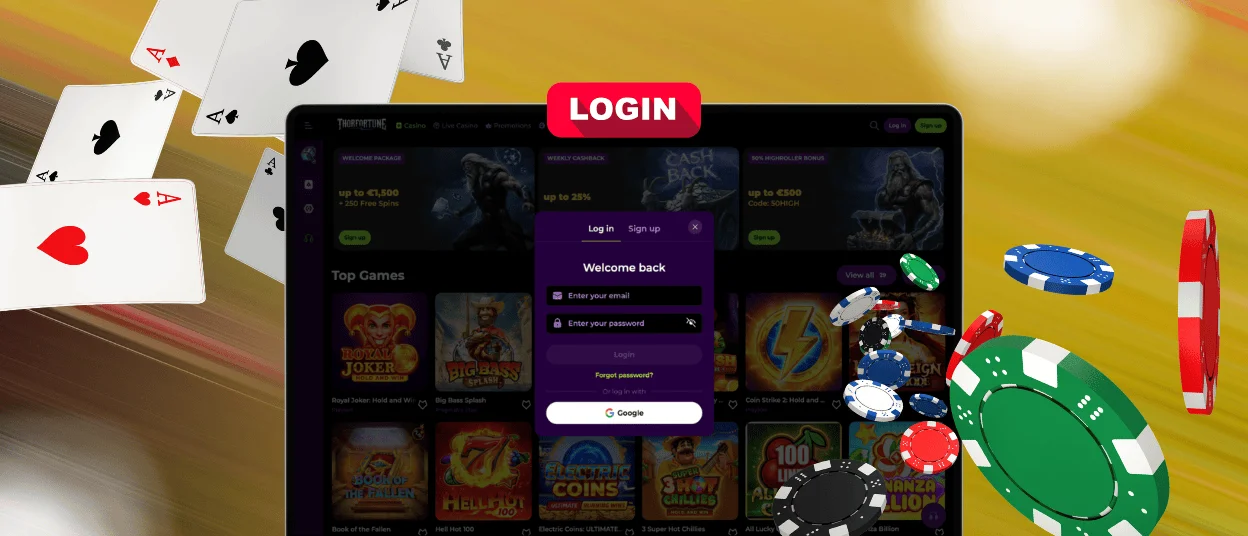
Players who already signed up can use the Log In button to return to their profile. You can check your real-money balance or review your recent bet history. We also added a security section directly in your account menu, so you can change your password or check login attempts.
To get into your account, start from the homepage.
- Open the Thorfortune login window: Press Log In. Use this form only if you already signed up before.
- Use your registered email: Enter the email linked to your Thorfortune account. This helps the site open the right customer profile.
- Enter your password. Use the one you created when signing up. Double-check it before you log in, because one wrong character can block the attempt.
- Complete extra security if needed: If 2FA is active, enter the code from your authentication app. The site can also ask for another check when the account needs extra protection.
After signing in, players return to the main part of their account. The cashier handles deposits and withdrawal requests, while the bonus area shows which offers are ready to use. Members can also open responsible gaming settings when they want to set personal limits or pause activity. If something blocks access, delays a payment, or makes a bonus unclear, Thorfortune support stays available 24/7 through live chat and email.
Forgot Your Password?
A lost password does not mean you lose access to your account. Start from the Thor Fortune login form and use the password recovery option. Add the email connected to your profile, then open the reset message sent by the casino and follow its instructions.
Create a password you do not use on other sites. Do not add personal details, such as your name or birthday. Follow the message, create a new password, and then return to the Thorfortune login to sign in again.
Verification at Thorfortune Casino
Thorfortune asks for KYC documentation before the first withdrawal or when the account needs an extra check. The uploaded documents should match the details in the player profile. If the name, address, or payment details are different, the check can take longer. Submitted files are checked by the KYC team. A document can first appear as temporarily approved before the final decision. If the photo is unclear or some details are missing, support may ask for another copy.
The table below shows the main document types that are requested during verification.
| Action | Description |
| Upload a passport, ID card or other official ID document | The casino uses this to verify the name, age and basic account details. |
| Upload address proof | A recent bill or bank statement may be needed if the address has to be checked. The document should show the same address as the account. |
| Complete a selfie check | Sometimes a selfie is requested as well. This is used to compare the player with the ID document. |
| Provide payment proof | The casino can demand proof of the card, wallet or account used for payment on the site. |
After the documents are approved, Thorfortune proceeds with the account check or withdrawal request.
FAQ
Can I log in to Thorfortune from another device?
Yes. You can open a website from a phone, tablet, or desktop browser. The balance, offers, and account settings stay in the same profile.
Why can’t I enter my Thorfortune account?
Check the email, password, and connection first. If the account still will not open, the Thor Fortune login may need an extra check. Support can help by live chat or email.
Should I log out after using Thorfortune on a shared device?
Yes. Always log out on a shared or public device. This keeps other people away from your balance, personal details, and cashier.


